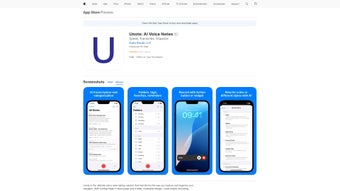

Download Unote AI Voice Notes – AI‑powered voice generator, secure web‑app for note‑taking
Overview
Unote AI Voice Notes is a subscription‑based web application developed by Vladimir Kalynyak that brings artificial intelligence to the classic task of voice note creation. Launched on Softonic on July 24 2025, Unote lets users dictate, edit, and organize spoken content directly from any modern browser. The service is positioned in the “AI Voice generator” category, offering a blend of transcription accuracy, natural‑sounding synthesis, and cloud‑based storage that eliminates the need for bulky desktop software.
Because it runs entirely in the browser, the app works on Internet Explorer, Firefox, Opera, Safari, and Chrome, making it accessible to virtually any desktop or laptop without additional installations. Users benefit from a secure, subscription‑driven model that guarantees regular updates, priority support, and an evolving feature set backed by continuous machine‑learning improvements. Whether you’re a journalist capturing interviews, a student recording lecture snippets, or a busy professional looking for hands‑free note‑taking, Unote AI Voice Notes promises a seamless, cross‑platform experience that turns spoken words into searchable, editable text with just a few clicks.
Key Features and Capabilities
- Real‑time AI transcription: Instantly converts spoken language into accurate, punctuation‑rich text as you speak.
- Multilingual support: Recognizes and transcribes over 30 languages and dialects, useful for international teams.
- Voice synthesis: Generate natural‑sounding audio from written notes, perfect for creating podcasts or audio reminders.
- Browser‑based operation: No downloads or installations; works on IE, Firefox, Opera, Safari, and Chrome.
- Secure cloud storage: All notes are encrypted at rest and in transit, with GDPR‑compliant data handling.
- Organizational tools: Tagging, folder hierarchy, and searchable keywords keep your voice library tidy.
- Collaboration features: Share transcriptions with team members, assign comments, and set permission levels.
- Integration API: Connect Unote with popular productivity suites such as Google Workspace, Microsoft 365, and Notion.
- Customizable AI models: Choose between fast‑mode (lower latency) or high‑accuracy mode (slightly slower but more precise).
- Subscription flexibility: Monthly, quarterly, or annual plans with a 14‑day free trial and discounted student rates.
Each feature is built around the core idea of making voice note‑taking as effortless as possible. The AI engine leverages deep‑learning models that have been trained on millions of audio samples, ensuring that background noise, accents, and colloquial speech are handled gracefully. The synthesis component uses neural text‑to‑speech (NTTS) technology, allowing you to convert any written note back into a clear, human‑like voice file that can be embedded in presentations or shared on social media. Because the app lives in the cloud, updates are pushed automatically—no more manual patches or version conflicts. This continuous delivery model guarantees that users always have access to the latest language models, security patches, and UI enhancements without lifting a finger.
Installation, Usage Instructions, and Compatibility
Getting started with Unote AI Voice Notes is intentionally simple. Since it is a web‑based solution, there is no traditional “installation” process—just a secure sign‑up and a modern browser. Follow these steps to begin using the app:
- Create an account: Visit unote.ai and click “Start Free Trial.” Enter your email, set a password, and verify the account through the confirmation link.
- Select a subscription plan: Choose between the monthly, quarterly, or annual options. You can switch plans later from the account dashboard.
- Grant microphone access: When prompted by the browser, allow Unote to use your microphone. This permission is stored per‑session and can be revoked at any time in your browser settings.
- Start a new voice note: Click the “New Note” button, select your language, and press the “Record” icon. Speak naturally; the AI will display live transcription in the text pane.
- Edit and organize: Use the built‑in editor to correct any mis‑recognitions, add tags, or move the note into a folder. Click “Save” to store it securely in the cloud.
- Export or share: Choose to download the transcription as a .txt or .docx file, generate an audio version, or share a secure link with collaborators.
Supported operating systems and browsers: Because Unote runs entirely in the browser, it is compatible with any OS that can run a modern web browser, including Windows 10/11, macOS 10.15+ (Catalina and later), Linux distributions, and Chrome OS. Officially supported browsers are Internet Explorer 11, Mozilla Firefox (latest ESR), Opera (latest), Safari 14+, and Google Chrome (latest). For the best AI performance, we recommend using Chrome or Edge with hardware acceleration enabled.
The web‑app also includes a progressive web app (PWA) option. By clicking “Add to Home Screen” on supported browsers, users can pin Unote to their desktop or mobile launcher, giving the experience of a native app while still benefiting from cloud updates. The PWA works on Android and iOS devices, allowing you to capture voice notes on the go without leaving the browser environment.
Pros, Cons, and Frequently Asked Questions
Pros
- Zero‑install, browser‑based access eliminates compatibility headaches.
- High‑accuracy AI transcription across multiple languages.
- Secure, encrypted cloud storage meets enterprise compliance standards.
- Flexible subscription plans with a generous free trial.
- Powerful collaboration tools and API integrations for workflow automation.
Cons
- Requires a stable internet connection; offline functionality is limited to PWA cache.
- Subscription cost may be higher than some free alternatives for occasional users.
- Internet Explorer support is limited to basic features due to legacy constraints.
- Audio synthesis quality varies slightly between languages.
- Advanced customization of AI models is only available on higher‑tier plans.
Frequently Asked Questions
Is there a free version of Unote AI Voice Notes?
Unote offers a 14‑day free trial with full feature access. After the trial, you must choose a paid subscription to continue using the service.
Can I use Unote on mobile devices?
Yes. The web app is fully responsive, and a PWA version is available for Android and iOS, letting you record and edit notes directly from your smartphone or tablet.
How secure is my data?
All voice recordings and transcriptions are encrypted using TLS 1.3 during transmission and AES‑256 at rest. Unote complies with GDPR, CCPA, and ISO‑27001 standards.
What languages does the transcription engine support?
The engine currently supports 35 languages, including English, Spanish, Mandarin, French, German, Portuguese, Arabic, Russian, and many regional dialects.
Can I integrate Unote with other productivity tools?
Yes. Unote provides an open API and native connectors for Google Workspace, Microsoft 365, Notion, and Zapier, enabling automated workflows such as sending transcriptions to a shared drive or creating tasks from voice notes.
Review summary: Unote AI Voice Notes stands out for its browser‑centric design, robust multilingual transcription, and enterprise‑grade security. While the subscription price may deter occasional users, the productivity gains for professionals are compelling.
Conclusion and Call‑to‑Action
In an era where remote work and digital collaboration dominate, Unote AI Voice Notes offers a modern, secure, and highly accessible solution for anyone who prefers speaking over typing. Its AI‑driven transcription accuracy, seamless browser compatibility, and comprehensive set of collaboration tools make it a strong contender in the crowded voice‑note market. The subscription model ensures that users receive continuous improvements, priority support, and access to the latest language models—an investment that pays off in saved time and reduced transcription errors. If you’re looking for a reliable way to capture ideas, meetings, or interviews without the hassle of installing heavy software, give Unote a try through its 14‑day free trial. Experience the future of note‑taking today, and let AI do the heavy lifting while you focus on what truly matters—your content.
Start your free trial of Unote AI Voice Notes now and join a growing community of professionals who trust AI to keep their ideas organized, searchable, and secure.



.png)



